

Accessibility is no longer a nice-to-have for casino teams. It is a product quality issue, a compliance risk, and a growth lever. According to the World Health Organization, about 1.3 billion people experience significant disability. In an online casino context, that can affect registration, KYC, deposits, game discovery, slot gameplay, live casino streams, bonus terms, withdrawals, and responsible gambling controls.
Making online casino games accessible does not mean stripping away entertainment value. It means giving every player a fair way to perceive information, operate controls, understand outcomes, correct mistakes, and stay in control of their play. For operators, the practical goal is simple: remove unnecessary friction from the entire player journey, not just from the homepage.
What accessibility means for online casino games
The most widely used benchmark for digital accessibility is the W3C Web Content Accessibility Guidelines. WCAG is organized around four principles: content should be perceivable, operable, understandable, and robust. Many digital teams use WCAG 2.2 AA as a baseline, although legal obligations vary by jurisdiction and should be reviewed with qualified counsel.
Online casinos have extra complexity because the experience is not one website. It is a connected system that can include a front-end lobby, game aggregator, third-party slot games, live casino games, payment gateway, crypto onramp, KYC flow, bonus engine, support tools, and responsible gambling controls. Accessibility must therefore be managed across product, compliance, payments, content, and supplier relationships.
If you need a broader website-level framework, Spinlab has a dedicated casino accessibility checklist for WCAG compliance that pairs well with the game-focused guidance below.
Start with the full player journey
A common mistake is to audit only static pages. In iGaming, the most important accessibility issues often appear during dynamic actions: opening a game, placing a bet, reading a win state, confirming a deposit, uploading identity documents, or accepting bonus terms.
Map the core journeys from first visit to withdrawal. Then test each step with keyboard navigation, screen readers, zoom, high contrast settings, reduced motion preferences, and real users where possible. The goal is to find moments where a player cannot continue, cannot understand the result of an action, or cannot recover from an error.
| Player moment | Common accessibility risk | Better approach |
|---|---|---|
| Registration and login | Unlabeled fields, inaccessible CAPTCHA, short timeouts | Clear labels, accessible verification options, timeout warnings |
| Game lobby | Game tiles announced as meaningless images | Text labels for game name, provider, category, and status |
| Game launch | Pop-ups or iframes trap keyboard focus | Predictable focus order and an obvious way to close or return |
| Slot gameplay | Color-only symbols, tiny controls, hover-only help | Text and icon cues, large controls, keyboard and touch support |
| Live casino | Dealer instructions are audio-only | Captions, visible game state, clear betting timers |
| Cashier | QR-only crypto deposit, unclear payment errors | Copyable addresses, clear network labels, specific error messages |
| Bonus terms | Dense legal text and hidden wagering rules | Plain-language summaries with full terms available |
| Responsible gambling | Limits or self-exclusion controls are hard to find | Prominent, accessible controls that work across devices |
This journey-based view helps teams prioritize the issues that actually block play or create compliance exposure.
Design gameplay controls for multiple input methods
A casino game should not assume that every player uses a mouse with perfect precision. Players may rely on a keyboard, switch device, screen reader, touch input, voice control, or screen magnification. Others may be on a mobile device with one hand, in bright sunlight, or using assistive settings built into the operating system.
For keyboard accessibility, every meaningful action must be reachable without a mouse. That includes opening paytables, changing stake size, spinning, collecting winnings, confirming autoplay settings where allowed, closing modals, and returning to the lobby. The focus indicator should be visible, not hidden by custom styling.
Important controls should follow a logical order. If a player tabs through a slot game, the sequence should match the visual and functional flow: game information, stake controls, spin controls, secondary settings, help, and exit. Avoid keyboard traps where focus enters an iframe, game modal, or chat widget and cannot escape.
Touch accessibility matters just as much. Buttons should be large enough to activate reliably, spaced to reduce accidental taps, and labeled clearly. A small mis-tap in an online casino can have financial consequences, so confirmations and reversible actions should be designed with care.
Make visual information perceivable
Online casino games are highly visual, but visual excitement should not be the only way information is communicated. A player should not need perfect color perception to understand whether a spin is active, a bonus round has started, a bet is invalid, or a deposit failed.
Use color as a supporting cue, not the only cue. Pair color with text, icons, shape, position, or motion that can be paused. For example, an error state in a cashier form should not be shown only in red. It should include a clear message such as: Card declined. Check the card number or try another payment method.
Text should remain readable when zoomed. Many players use browser zoom or OS-level magnification, especially on mobile. Avoid placing essential game instructions inside low-resolution images. If a paytable, bonus rule, or warning message is part of the game UI, it should be readable, scalable, and available to assistive technologies where possible.
Contrast is also critical. Casino interfaces often use dark themes, neon accents, and animated backgrounds. That can look premium, but it can also make balances, timers, buttons, and terms hard to read. High contrast is especially important for financial actions, age notices, KYC errors, and responsible gambling tools.
Treat audio, motion, and flashing as accessibility risks
Sound effects and animation are part of casino entertainment, but they need controls. Players should be able to mute audio, adjust volume, and understand game outcomes without sound. In live casino games, important spoken information should be reinforced visually, especially betting status, countdowns, round results, and dealer instructions.
Motion can also create problems for players with vestibular disorders, migraines, ADHD, or sensory sensitivities. Respect reduced-motion preferences when possible. Offer a lower-animation mode for non-essential effects, and avoid excessive background movement around forms, cashier pages, or compliance notices.
Flashing content deserves special attention. Rapid flashing can create seizure risk for some users. Game studios and operators should review animations, win celebrations, and promotional banners against WCAG guidance on seizures and physical reactions.
Build an accessible game lobby
The lobby is the front door to your online casino games. If players cannot search, filter, understand, or launch games easily, accessibility problems turn into revenue problems.
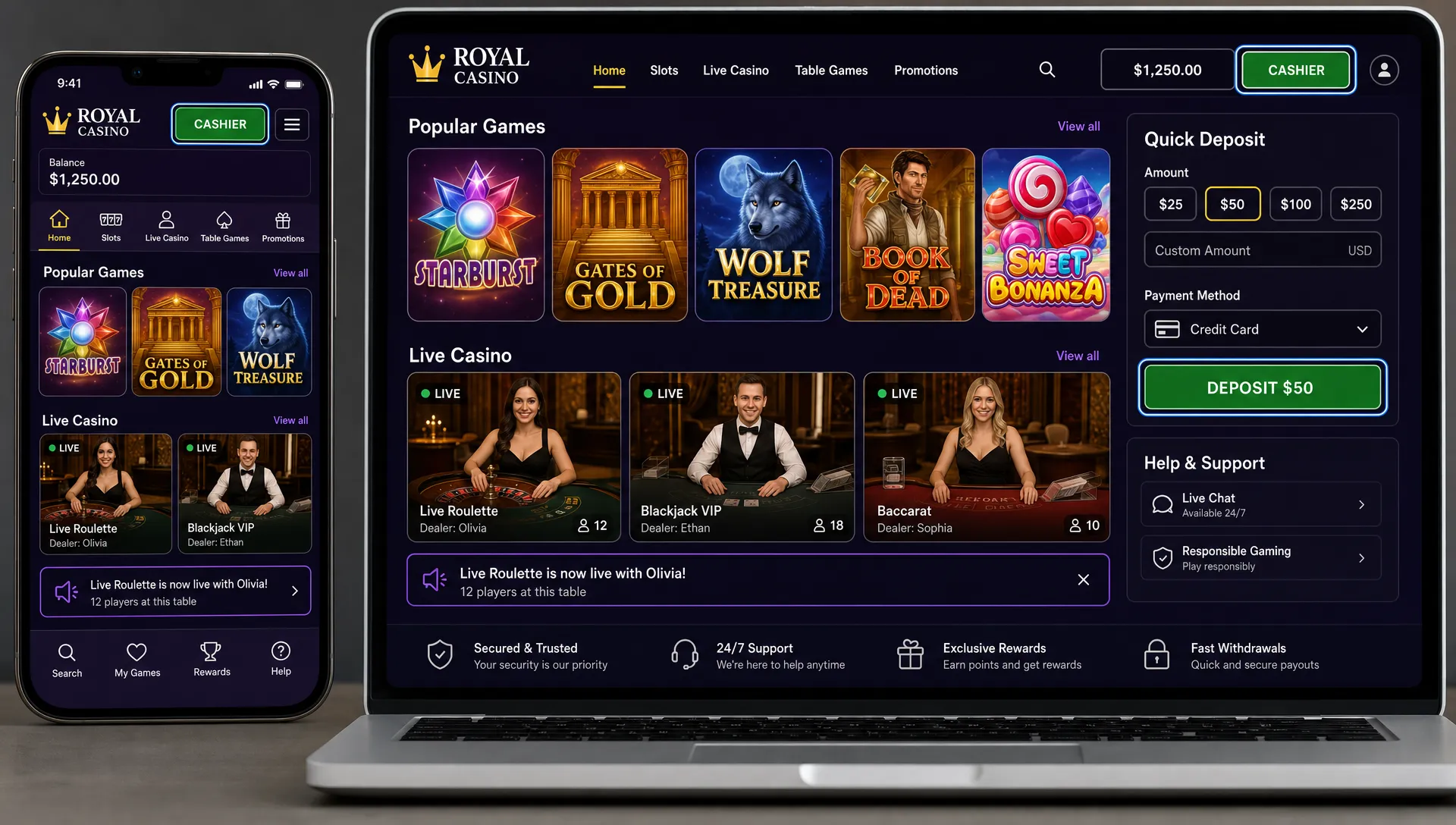
Game cards should have meaningful text alternatives. A screen reader user should hear something useful, such as game name, game type, provider, and whether the game is new or unavailable in their region. They should not hear generic labels like image, button, or thumbnail.
Search should tolerate mistakes. Players may misspell a game title, use a provider name, search for slot games by theme, or look for live casino games by table type. Filters should be keyboard accessible, visibly selected, and easy to clear. The same applies to categories such as new games, popular slots, jackpots, live blackjack, live roulette, and casino original games.
A good lobby also avoids overwhelming players with endless carousels. Curated shelves, clear metadata, and predictable navigation help every player, including those using assistive technology. For deeper discovery tactics, see Spinlab's guide to casino game lobby tips that improve player discovery.
Make payments, crypto, and KYC accessible
Accessibility does not stop when the player leaves the game screen. The cashier and identity flows are among the highest-stakes parts of an online gambling platform because they involve money, sensitive data, and regulatory obligations.
For fiat payments, forms need proper labels, clear field requirements, accessible error messages, and support for password managers or secure autofill where appropriate. If a payment gateway returns an error, translate it into plain language without hiding important details. A vague message like transaction failed is less useful than an explanation that tells the player what to try next.
For crypto-ready casinos, accessibility needs extra care. A QR code should not be the only way to deposit. Provide a copyable wallet address, clearly identify the blockchain network, show the currency, explain confirmation timing, and warn players before they send funds on the wrong network. If a quote or address expires, the timer should be visible, announced where possible, and recoverable without losing the whole session.
KYC and AML flows should be strict without becoming inaccessible. Document upload instructions should be written in plain language. File requirements should be visible before upload. Errors should explain whether the issue is glare, cropping, expired ID, unsupported file type, or missing information. If automated verification fails, players should have an accessible support path.
Use game aggregation without losing accessibility control
Many operators rely on a game aggregator to offer hundreds or thousands of slot games, live casino games, and specialty titles. That is efficient, but it also means the operator may not directly control every game interface. Accessibility therefore becomes a supplier management issue.
Before adding new providers or promoting new games, ask accessibility questions as part of commercial and technical review. This is especially important for high-traffic titles, exclusive casino original games, and games used in major campaigns.
| Requirement to request | Why it matters | Question to ask providers |
|---|---|---|
| WCAG conformance information | Establishes a shared benchmark | Which parts of the game UI have been tested against WCAG? |
| Keyboard operation | Supports players who cannot use a mouse | Can all major game actions be completed by keyboard? |
| Screen reader support | Helps players who rely on assistive technology | Are controls, balances, results, and errors programmatically labeled? |
| Captions or visual alternatives | Reduces reliance on audio | Are live instructions and game states available visually? |
| Reduced motion options | Supports players sensitive to animation | Can non-essential animation be reduced or paused? |
| Flashing review | Reduces seizure risk | Have win effects and promotional animations been checked for flashing thresholds? |
| Accessibility defect process | Makes issues actionable | What is the SLA for fixing accessibility defects? |
For an operator, the key is not to demand perfection from every supplier overnight. The key is to create measurable standards, prioritize high-impact games, and avoid promoting experiences that block or mislead players.
Build accessibility into platform operations
Making online casino games accessible is not a one-time redesign. New games launch, payment methods change, bonus campaigns rotate, KYC rules evolve, and markets expand. Your iGaming platform should make accessibility easier to operate over time.
A modular platform can help by centralizing game aggregation, payments, compliance workflows, analytics, and backoffice content management. It does not automatically make every game accessible, but it can give teams better control over labels, categories, payment copy, support messages, responsible gambling links, and campaign pages.
Operational flexibility matters. If your team needs a developer for every lobby label, bonus disclaimer, payment instruction, or support link, accessibility fixes will move slowly. A customizable backoffice can reduce that bottleneck by letting trained operations teams update player-facing content faster.
Analytics are also useful, but they should be used carefully. Do not try to infer disability from player behavior. Instead, look for aggregate friction signals: abandoned KYC attempts, payment errors by device, game launch failures, support tickets about readability, or unusually high exits from bonus terms. These indicators can reveal accessibility and usability problems without profiling individuals.
If you are evaluating platform operations more broadly, Spinlab's guide on what makes a casino platform easy to run explains why backoffice usability, analytics, payments, and integrations matter for lean casino teams.
Test with real tools and real players
Automated tools can catch many technical issues, but they cannot tell you whether a game is actually understandable or playable. Use automated scans as a first pass, then run manual tests across the player journey.
A practical testing routine should include keyboard-only navigation, screen reader testing on desktop and mobile, 200 percent zoom, high contrast settings, reduced motion settings, mobile touch testing, form validation testing, and payment error testing. Include game launch and exit flows, not just the lobby.
Real user testing is even more valuable. Players with disabilities can identify problems that technical teams miss, such as confusing announcements, stressful timers, unclear bonus language, or controls that are technically focusable but practically unusable.
Document each issue with severity, affected journey, device, browser, assistive technology, provider, and business impact. A blocked deposit, inaccessible self-exclusion control, or unreadable KYC error should be treated as higher priority than a minor decorative issue.
A practical 90-day accessibility roadmap
Accessibility can feel large, so start with the areas that reduce the most risk and improve the most journeys. A 90-day roadmap gives operators a realistic way to move from audit to ongoing governance.
| Timeline | Focus | Outcome |
|---|---|---|
| Days 1 to 30 | Audit critical journeys, including registration, lobby, top games, cashier, KYC, and responsible gambling | A ranked list of blockers and quick wins |
| Days 31 to 60 | Fix high-impact UI issues, improve payment and KYC messages, update game metadata, and create supplier questions | Fewer blocked journeys and clearer operating standards |
| Days 61 to 90 | Add accessibility review to new game launches, promotions, provider onboarding, and support workflows | Accessibility becomes part of normal casino operations |
After that, treat accessibility like security or fraud prevention: always active, always measured, and always part of release planning.
Frequently Asked Questions
Do online casino games need to be WCAG compliant? Requirements depend on the jurisdiction, licensing context, and customer base. Many operators use WCAG 2.2 AA as a practical benchmark because it is widely recognized, but legal advice is important for market-specific obligations.
Can slot games be made accessible? Yes, many accessibility improvements apply to slot games, including readable text, keyboard support, visible focus, non-color cues, clear win and error states, adjustable audio, and reduced motion options. Operators should also require accessibility information from game providers.
Does accessibility make casino games less exciting? No. Accessibility does not remove entertainment. It improves control, clarity, and choice. Strong visual design, animation, and sound can remain, as long as players are not forced to rely on one sense or one input method.
How does crypto change casino accessibility? Crypto adds details such as wallet addresses, blockchain networks, QR codes, confirmations, and expiring quotes. Accessible crypto flows should provide copyable addresses, clear labels, visible warnings, and recovery paths if something goes wrong.
What is the first accessibility fix an operator should make? Start with blockers in money, identity, and responsible gambling journeys. If players cannot deposit, withdraw, verify identity, understand bonus conditions, or use safer gambling tools, those issues should be prioritized.
Launch with accessibility in mind
Accessible online casino games come from good product decisions, strong supplier standards, and a platform that lets teams update experiences quickly. The earlier you build accessibility into lobby design, game aggregation, payments, KYC, and support, the easier it is to scale without expensive rework.
Spinlab provides a modular white label casino platform for operators that want a Shopify-like operating experience, with crypto and fiat payment support, game aggregation, KYC and AML workflows, fraud prevention, real-time analytics, a customizable backoffice, open API integration, and support for casino original games. Accessibility still requires the right implementation and provider standards, but flexible infrastructure makes those improvements easier to manage.
Explore Spinlab's iGaming platform if you are building a casino brand that needs to launch fast, operate lean, and scale with a more accessible player experience.