

Getting a player as far as the cashier only to lose them at the final click is painful—and nowhere is that friction more acute than with crypto deposits. Etherscan shows that Ethereum main-net gas briefly spiked above US $80 in July 2025, while Polygon fees sat below a cent. When your UI fails to clarify those swings, players blame you, not the blockchain. Below is a practical guide to designing a crypto cashier that demystifies gas fees, reduces deposit abandonment, and builds long-term trust.
Why Clear Gas-Fee Messaging Matters
- Cost anxiety: Internal Spinlab benchmarks across 14 operators reveal a 17 % higher drop-off rate when the final payable amount exceeds the on-screen figure by more than US $3.50.
- Support overhead: Confused players open tickets; each ticket costs roughly US $3–5 in agent time (Zendesk 2025 benchmark).
- Regulatory optics: Several EU regulators, including the Malta Gaming Authority, now scrutinize “hidden crypto fees” under unfair-practice clauses.
- Brand trust: Transparent fees drive repeat deposits. Spinlab data shows LTV for players who opt into layer-2 checkout (explicitly presented as a fee-saver) is 22 % higher after 90 days than for baseline L1 users.
Four Design Principles for Gas-Fee Transparency
1. Show the Total Before Wallet Confirmation
Timing is everything. Surface the estimated gas in the cashier before triggering the wallet pop-up. This avoids “bait-and-switch” shock and lets power users switch networks.
{
  "amount_requested": "100 USDT",
  "network": "Ethereum",
  "est_gas_usd": 7.42,
  "total_send": "107.42 USDT",
  "quote_valid_for_sec": 45
}
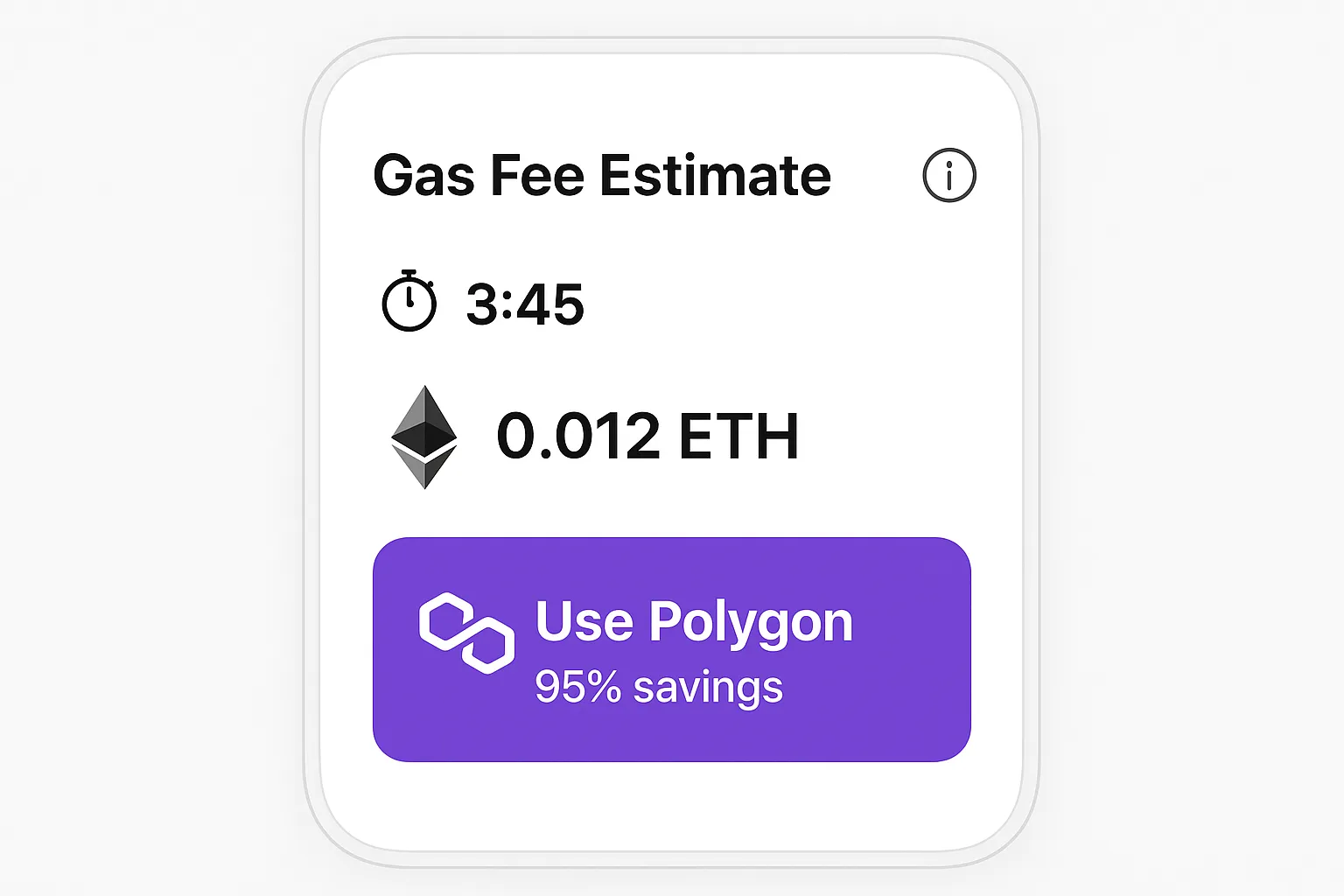
Display the timer prominently (e.g., “Quote expires in 0:45”) so players know the figure can change.
2. Convert Fees to the Player’s Fiat Currency
Humans think in local money. Use the real-time FX rate already pulled for your hybrid cashier to convert gas to the account currency. Example: “Gas fee: 0.0023 ETH (≈ AUD $10.60).”
3. Offer Lower-Cost Alternatives In-Flow
If the quoted fee exceeds a threshold you set (Spinlab default: 2 % of deposit), surface a fee-saving banner:
“Want to save up to 95 %? Switch to Polygon—fee drops to < US $0.10.”
Provide a one-click network toggle. Our logs show 38 % of users accept the cheaper rail when the option is friction-free.
4. Educate Without Overwhelming
Power users crave details; casual players just want to know the bottom line. Use progressive disclosure:
- Main screen: Total payable and concise note (“Includes network fee”).
- Tooltip: Basic gas explainer in 20 words.
- Advanced drawer: Full breakdown with gwei, base fee, priority fee, recent block history.
Benchmark Table: Typical Gas Costs on Popular Rails (July 2025)
| Network | Avg Gas Fee (US $) | Confirmation Time | % of Spinlab Crypto Volume |
|---|---|---|---|
| Ethereum (L1) | 4.80 – 26.70 | 30 s – 5 min | 19 % |
| Polygon (PoS) | 0.01 – 0.12 | < 5 s | 27 % |
| BSC | 0.05 – 0.40 | < 8 s | 12 % |
| Tron | 0.00 – 0.02 | < 3 s | 34 % |
| Lightning (BTC) | 0.005 – 0.20 | 1 – 3 s | 8 % |
Data source: Spinlab Payment Hub analytics + public gas trackers.
UX Patterns That Work in Real Casinos
- Stepper with Fee Preview
Step 1: Pick coin → Step 2: Pick network → Step 3: Review amount + gas → Step 4: Wallet confirm. Players never jump blind. - Dynamic Fee Chip
A small chip next to the network badge updates in real-time (“Fee $0.08”). Helps during volatile spikes. - Color-coded Savings
Green font for fees under 1 % of deposit, amber for 1–3 %, red for > 3 %. Users instantly spot expensive options. - Layer-2 Toggle
A simple toggle (“Use Layer-2”) that automatically routes to the cheapest supported chain. This alone cuts average gas by 92 % on ETH-denominated deposits.
Handling Volatility: Technical Tips
- Quote API with TTL: Cache quotes for 30–60 s; refresh on timer expiry or network change.
- Slippage Buffer: Add ±5 % headroom and auto-refund surplus to the in-game wallet so users never lose funds to underpayment.
- Fallback Rail: If the wallet rejects a high gas price, auto-offer a stablecoin bridge (e.g., USDT ERC-20 → USDT TRC-20) with one click.
- On-chain Webhooks: Use Spinlab’s Web3 listener to credit accounts the moment the tx hash hits mempool, not after confirmation; show “Pending (gas $X locked)” status in-app.
Compliance and Disclosure Checklist
- Display fee source (e.g., “Live quote via EthGasStation”).
- Publish a fee markup policy—even if it’s zero.
- Keep logs of fee quotes vs final fees for audit (Spinlab’s cashier stores 60 days by default).
- Localize the disclaimer: some markets require explicit wording on variable network fees.
Putting It All Together with Spinlab’s Hybrid Cashier
Spinlab’s Fullhouse platform includes a Crypto-Fiat Hybrid Cashier that ships with:
- Pre-integrated gas estimator for 12 chains.
- Layer-2 switcher logic referenced above.
- Real-time quotes in 160+ fiat currencies.
- Auto-refund micro-wallet for excess gas protection.
This means you can enable transparent crypto deposits without writing a single gas-pricing microservice. Pair it with the 3-second checkout tactics we covered in Cashier Conversion Hacks to shave milliseconds off the flow.
Next Steps
- Audit your current crypto deposit flow for hidden fees and late-stage surprises.
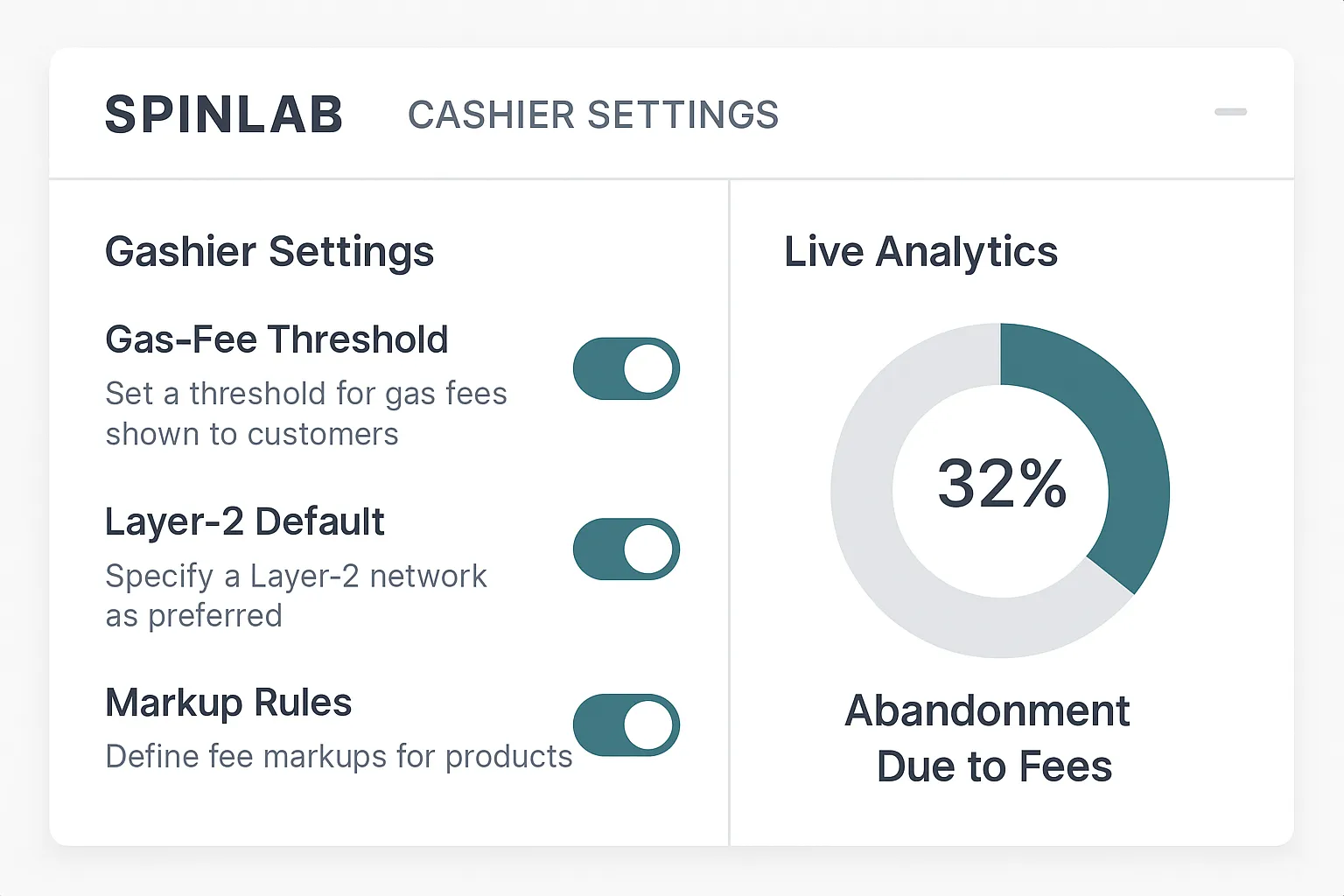
- Set fee thresholds and network fallbacks that align with your target CPAs and VIP margins.
- Book a 30-minute demo to see Spinlab’s fee-transparent cashier in action and get a custom abandonment-cost analysis.
Transparent gas-fee design isn’t just good UX; it is money in the bank. Build clarity into the cashier, and players will reward you with higher conversion, fewer tickets, and greater lifetime value. Ready to level up your payments? Schedule your Spinlab walkthrough today.